
On this page
Contents
Check Runs#
Type: Web App
URL: https://checks.cbautils.com/
Overview#
Check Runs is a browser-based CBA application for check-related office workflows.
Use the App#
Documentation#
First, you want to make sure to locate the check register and the check run you will be running. Both must be .xlsx files. .csv or other formats will not work.
To get started, navigate to the link above. You should see the following screen:
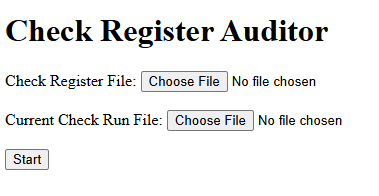
Click "Choose File" under Check Register File. Select the check register file. Next, click "Choose File" under Current Check Run File. Select the check run that you will be running.
When you click "Start", the process will begin.
Once processing is complete (if there were no errors that stopped the processing), you should see the following screen:
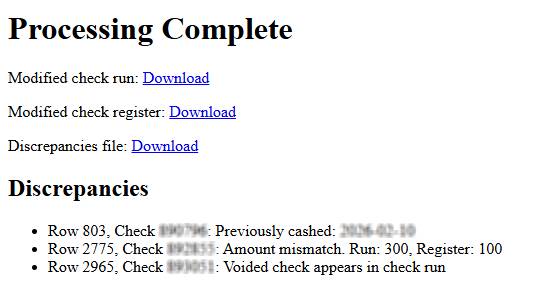
At the above screen, you can download the three processed files.
Supporting Resources#
Add office forms, reference files, screenshots, and related procedures here.